Ask anything about this post!
Extend your StartAllBack free trial with this simple guide! Learn how to use Process Monitor and a quick command to reset the 90-day period, so you can keep customizing your Windows Start menu and taskbar without interruption.
In this guide, we'll walk through the process of resetting the trial period of StartAllBack software, You can enjoy the all feature of this software free of cost with officials exe. Follow these steps to reset trial period of 90 day of your StartAllBack application up and running smoothly.
StartAllBack is a customization software designed to enhance the Windows user experience by restoring and improving the classic Start menu and taskbar features, especially for Windows 11 users. It is particularly popular among users who prefer the traditional look and feel of Windows interfaces and want to have more control over their desktop environment.
Download the StartAllBack software from its official website.
https://startallback.com
Click here to go to download link: StartAllBack
Process Monitor is a powerful and advanced monitoring tool for Windows, provided by Microsoft. It combines the features of two legacy utilities, Filemon and Regmon, to offer comprehensive real-time monitoring of file system, registry, process, and thread activity.
https://learn.microsoft.com/en-us/sysinternals/downloads/procmon
Click here to go to download link: ProccessMonitor
Make sure to successfully installed the Proccess Monitor package.
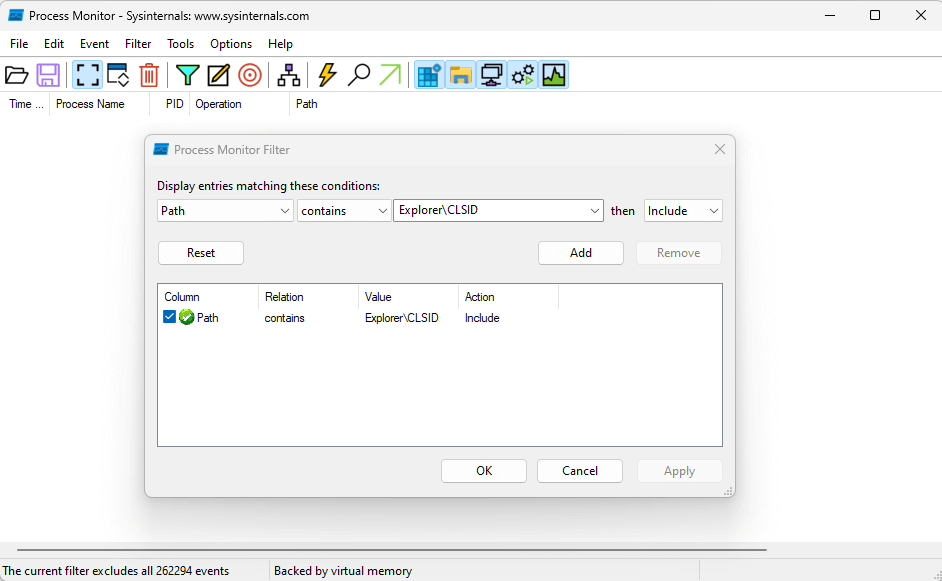
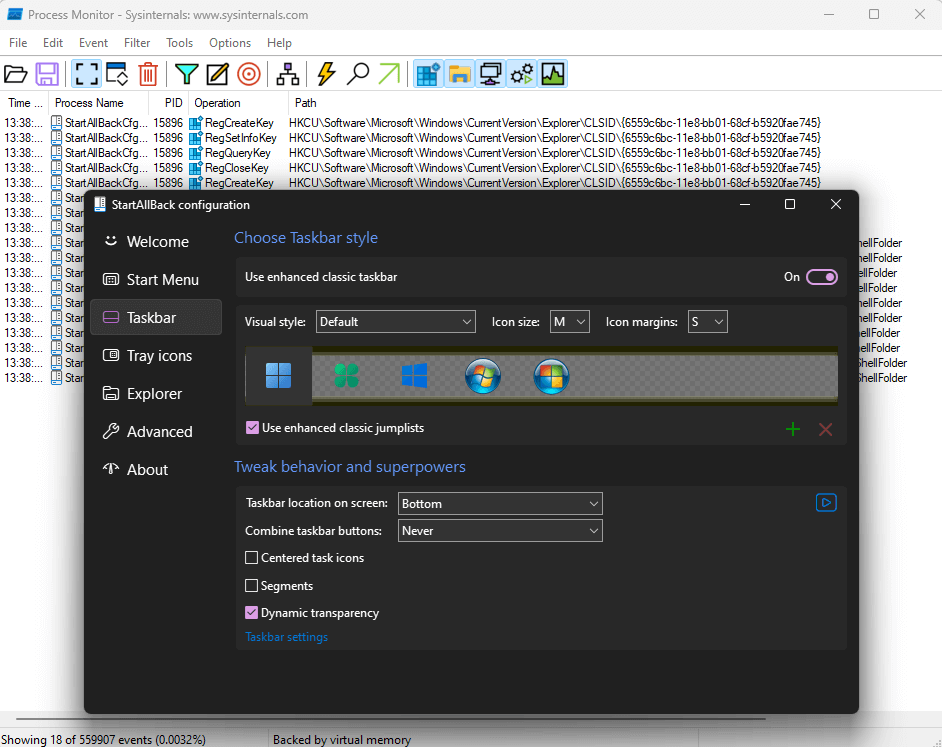
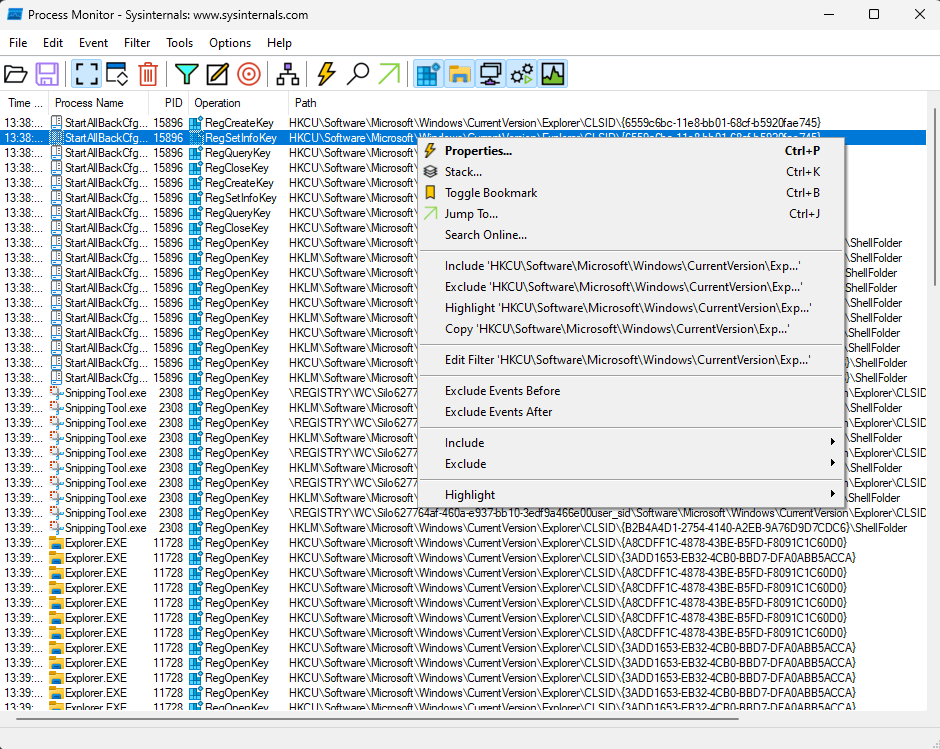
Now, open your powershell terminal or cmd And use these command to reset trail days. Syntax:
reg delete [Past Copied Content Here] /f
Example:
reg delete "HKCU\Software\Microsoft\Windows\CurrentVersion\Explorer\CLSID\{6559c6bc-11e8-bb01-68cf-b5920fae745}" /f
Now you have successfully reset free trail period of StartAllBack application.
By following these steps and configurations, you can successfully reset and use your application in a window. Happy Decoding!
Thank you for reading our blog!
We have a Discord community where you can ask questions and get help from the community.
No comments yet. Be the first to share your thoughts!